BOOK AND CREATE TOGETHER
Bookings
Sell your time. Fans book a session and pay upfront.
Set your hours and prices once. Fans pick a time on your page, pay, and get the link. Reminders, time zones and the chat are handled for you.
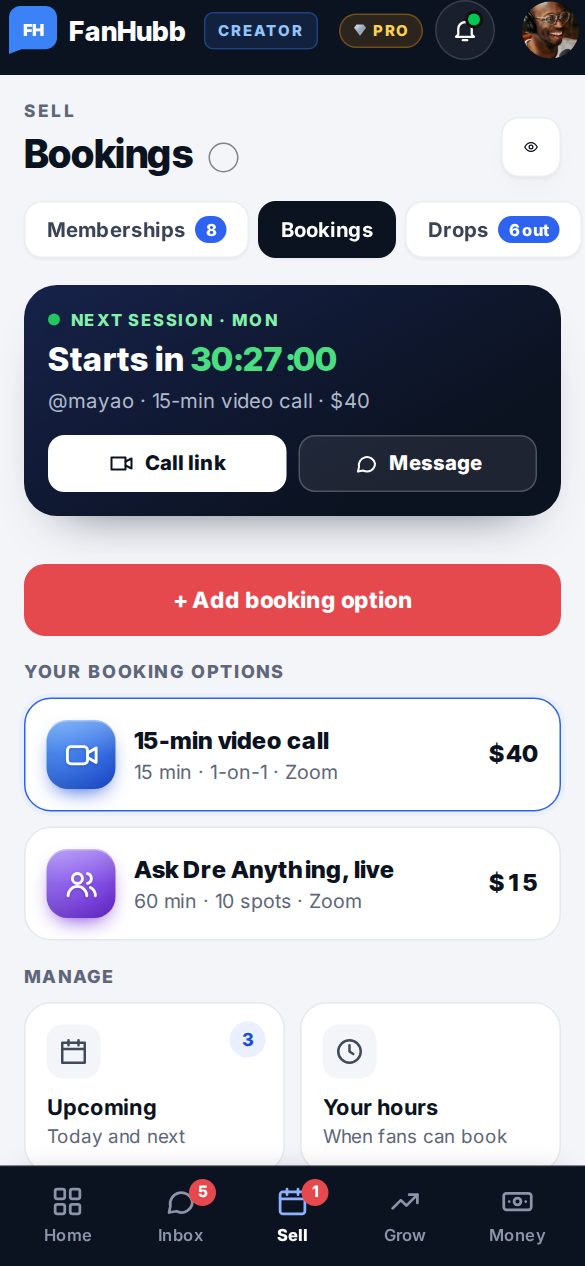
What creators use it for
1-on-1 video callsTime with you, one fan at a time.Example: a 15-minute chat with a superfan
Coaching and lessonsTeach what you’re great at.Example: a guitar lesson, a workout plan
Reviews and feedbackLook at a fan’s work together.Example: a portfolio or demo review
Group sessionsSeveral fans in one session (Plus and Pro).Example: a Q&A for your members
Meet-and-greetsA short hello for big moments.Example: a launch-day call
ConsultationsYour expertise, by the hour.Example: a brand or career call
How it works
- 1Set your times and priceSession types, lengths, prices and the hours you’re open. Add a file everyone gets if you like.
- 2Fans pick a time and payThey book on your page in their own time zone and pay upfront.
- 3Meet, then get paidReminders a day and an hour before. The chat opens 2 hours before. 48 hours after, it’s released, then added to your available balance on the date shown in Payouts.
What’s included
- Your own booking page and link
- Zoom, Google Meet, FaceTime, a phone call or in person
- Times shown in each fan’s time zone
- Reminders a day and an hour before
- A chat on each booking, from 2 hours before to 15 minutes after
- Group sessions with private replies (Plus and Pro)
- Move a session; fans can then cancel for a full refund
Questions
What if I need to change a time?
Use Move on the booking. The fan is told, and can cancel for a full refund if the new time doesn’t work.
Which video app do I use?
Your own link: Zoom, Google Meet or anything else. Fans get it with their booking.
Can fans cancel?
Yes, for a full refund up to 24 hours before the start.
Goes well with
Try Bookings free.Join free and set it up in a few minutes.
Start free